The mysterious triangle on your Samsung screen: what this indicator means
Samsung Galaxy users often encounter an unfamiliar triangle icon in the status bar, which limits background app activity.
 💡Tech
Photo: UNIAN
Key points
- The triangle is an indicator for Data Saver mode
- The feature restricts background app activity
- The mode can be disabled or configured with exceptions
Samsung Galaxy owners often notice an unusual symbol in their status bar: a triangle with arrows pointing up and down. While it may visually resemble a warning sign, this indicator does not signal a technical failure or a security threat to your data.
What this symbol means
The appearance of the triangle indicates that the "Data Saver" mode is active on your smartphone. In Samsung's One UI, this mode is represented by this specific icon, whereas standard Android uses a different symbol. The primary purpose of this feature is to restrict background mobile data usage.
When this mode is enabled, the system restricts apps from accessing the network unless the user opens them. Consequently, notifications from messengers or email may be delayed, and data synchronization is paused. This often happens due to accidental taps in the quick settings panel or children playing with the phone.
How to restore normal operation
If you notice delays in notifications, check your network settings and turn off "Data Saver." For those who want to optimize data usage without losing connectivity, there is an exception feature. In the settings menu, you can select specific apps that are allowed to run in the background even when the restriction is active.
Source UNIAN — unian.ua/techno/software/trikutnik-u-ryadku-stanu-samsung-shcho-ozn… ↗
Read next
 🛡️Security
International partners prepare legally binding security guarantees for Ukraine
Leaders from Germany, France, the UK, and Ukraine have agreed on security guarantee mechanisms and strengthening air defense ahead of winter.
 🇺🇦Ukraine
Volodymyr Zelenskyy emphasizes importance of Ukraine's NATO membership in Berlin
During the 'Coalition of the Willing' meeting in Berlin, the President of Ukraine stated that NATO membership remains the key security guarantee for the country.
 🧠AI Analysis
EU and Partners Announce Large-Scale Support Package for Ukraine Through 2027
In Berlin, Western leaders agreed on 90 billion euros in financial support and new security guarantees for Ukraine.
 🛡️Security
Kerch Bridge under attack: panic buying of fuel and food in Simferopol
Following a series of attacks on the Kerch Bridge, residents of occupied Crimea are facing shortages and panic.
 🚌Transport
What the crossed-out finger road sign means: an explanation for drivers and pedestrians
The R9-4 road sign, depicting a crossed-out finger pointing up, is a specific traffic regulator in the USA. It prohibits pedestrians from hitchhiking on certain road sect…
 ⚽Sport
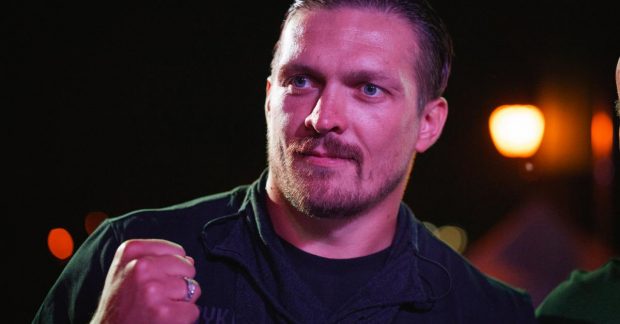
Oleksandr Usyk shares details of his interactions with global sports stars
The Ukrainian boxing champion spoke about his personal conversations with Cristiano Ronaldo and his friendship with Anthony Joshua.